
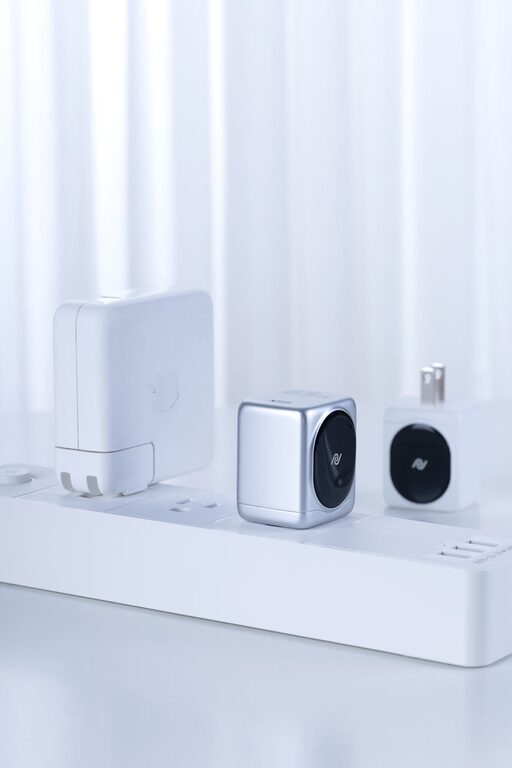
Setting up a dedicated charging station for your devices is a great way to keep your space clutter-free and ensure all your gadgets stay powered up and ready to go. Whether you have smartphones, tablets, smartwatches, or wireless earbuds, a charging station helps manage cables, saves space, and adds convenience to your daily routine.
In this guide, we’ll walk you through the steps to create a functional and attractive charging station at home.
Why Set Up a Charging Station?
With so many devices in use today, charging them individually in different places can lead to a mess of cables and constant searching for outlets. Having a central charging station offers several benefits:
– Declutter your space: Keep cables and devices neatly in one spot.
– Save time: No more hunting for chargers or outlets.
– Protect devices: Avoid tangled cords and accidental drops.
– Monitor charging: Easily check which devices are charged or need power.
What You’ll Need
Before you start, gather the following items based on the number and type of devices you want to charge:
– Multi-port USB charger or charging hub
– Charging cables compatible with your devices (USB-C, Lightning, micro-USB, etc.)
– Power strip with surge protection (optional)
– Cable organizers like clips, ties, or sleeves
– A dedicated container or stand (like a wooden box, desk organizer, or charging dock)
– Label tags (optional)
Step 1: Choose the Right Location
Pick a spot that is:
– Accessible and visible
– Near a power outlet
– Away from direct sunlight and moisture
– Large enough for your devices and accessories
Common locations include desks, kitchen counters, nightstands, or a dedicated shelf.
Step 2: Select Your Charging Equipment
Multi-Port USB Chargers
A multi-port charger lets you power multiple devices simultaneously from one outlet. Consider chargers that support fast charging and have enough ports for all your devices. Some come with USB-C and USB-A ports to cover a range of device types.
Charging Docks and Stands
If you want a tidy look, a charging dock or stand can hold devices upright while charging. Some have built-in cable management or wireless charging capabilities.
Power Strips
For setups with many devices or larger chargers, a power strip with surge protection ensures you can plug everything in safely.
Step 3: Organize Cables and Chargers
Messy cables are the main challenge in any charging setup. Use these tips:
– Label cables to know which belongs to which device.
– Use cable clips or holders attached to your desk or container to guide cables neatly.
– Bundle excess cable lengths with Velcro ties or twist ties.
– Consider cable sleeves to group multiple cables together for a cleaner look.
Step 4: Arrange the Devices
Decide how to place devices while charging:
– Place frequently used devices in easy-to-reach spots.
– Use vertical stands to save surface space.
– Avoid stacking devices to prevent overheating.
– If devices support wireless charging, allocate a spot for that charger.
Step 5: Set Up and Test Your Charging Station
– Plug in the multi-port charger or power strip.
– Connect each device’s charging cable.
– Arrange devices and cables neatly in your container or area.
– Turn everything on and check that devices charge properly.
– Adjust cable lengths or placement if needed.
Additional Tips for a Successful Charging Station
– Regularly clean the area and cables to prevent dust buildup.
– Upgrade cables if they become worn or slow charging.
– Add a small lamp or indicator light near your station for nighttime visibility.
– Include some storage for accessories like earbuds or portable batteries.
– Safety first: Don’t overload outlets and avoid using damaged chargers.
DIY Charging Station Ideas
If you enjoy DIY projects, here are some creative setups:
– Convert a wooden box with holes drilled for cables.
– Use a repurposed drawer organizer for compartments.
– Build a small shelf with mounted charging hubs under it.
– Incorporate a decorative tray with cable holders.
Conclusion
Creating a dedicated charging station is an easy way to bring order to your busy tech life. By choosing the right equipment, organizing cables, and arranging devices thoughtfully, you’ll save time and enjoy a clutter-free space. Plus, your devices will always be ready when you need them!
With just a little effort, your charging station can become a helpful daily routine spot that fits your style and needs perfectly. Start organizing today and experience the convenience!